Walkalone
  • Home
  • Pricing
  • About
    • Walkalone FAQs
  • Updates
  • See how Walkalone works


See how Walkalone works

Select a tab below to see how Walkalone works for users and contacts

  • As a Walkalone User
  • As an Emergency Contact
<
>

How it works for the Walkalone User

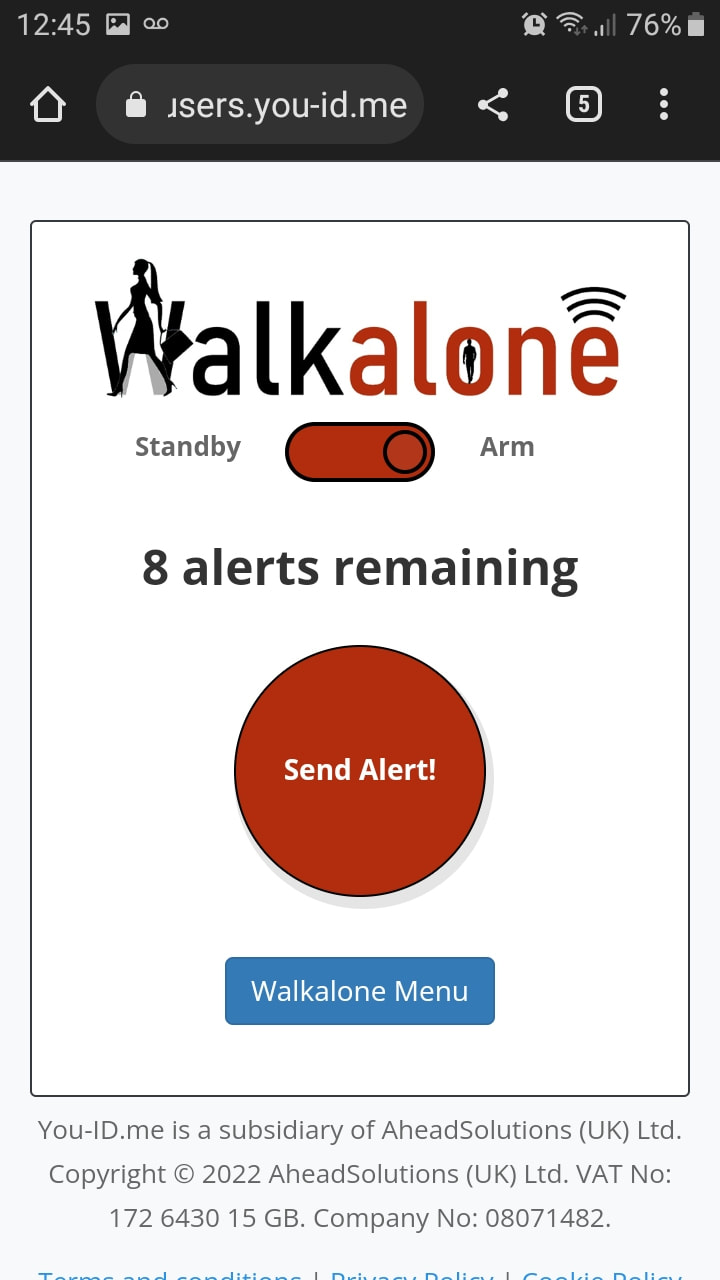
1) User activates Walkalone and arms the tool ready for alerts to be sent
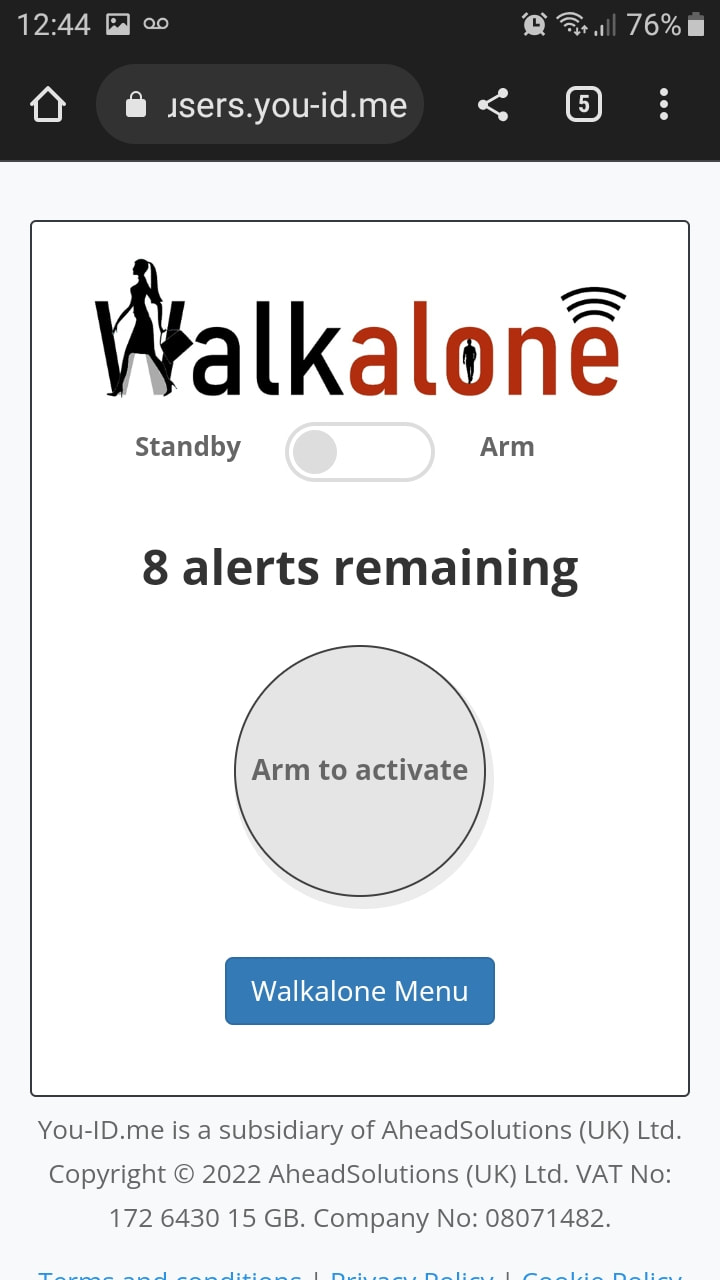
How to use the Walkalone safety app. User accesses Walkalone tool from the My Tools section of their You ID Me profile.
User arms the tool - ready for use in case of emergency.
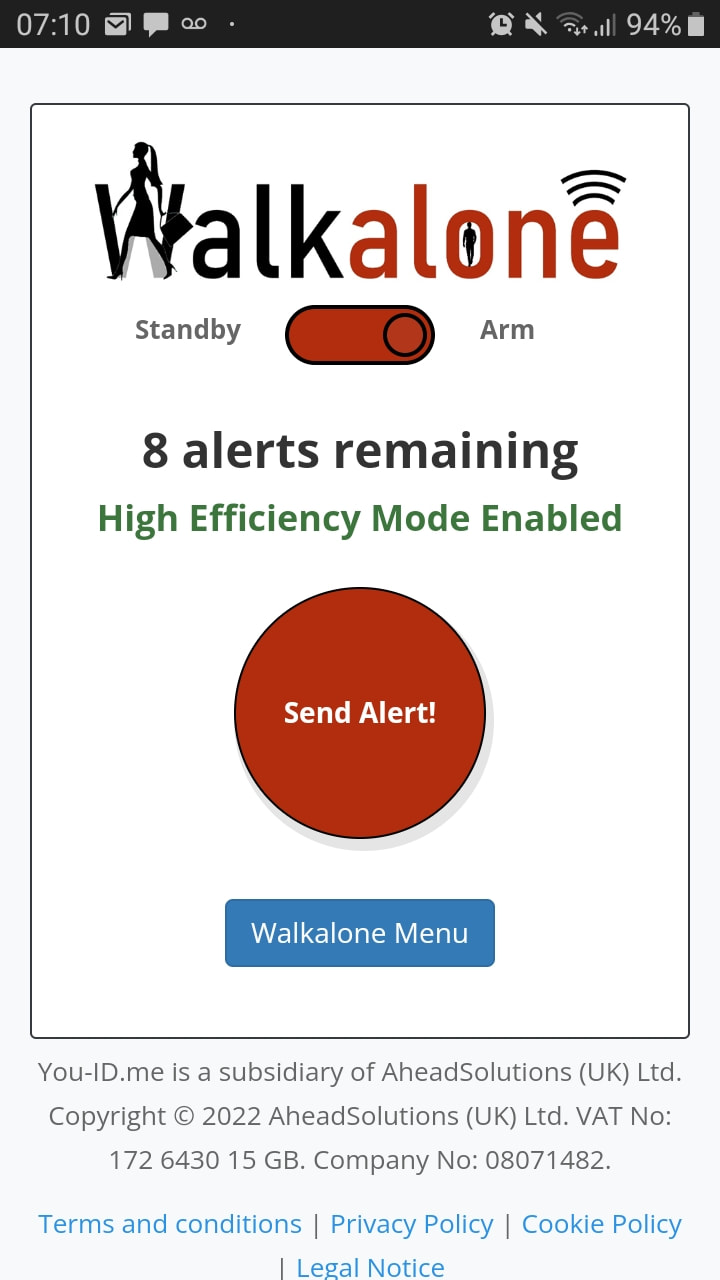
Walkalone personal safety tool - User sees if high efficiency mode switched on
2) In case of emergency user can send alerts with a map of their location to their emergency contacts phone by tapping the Walkalone 'Send Alert' button

How it works for the emergency contact

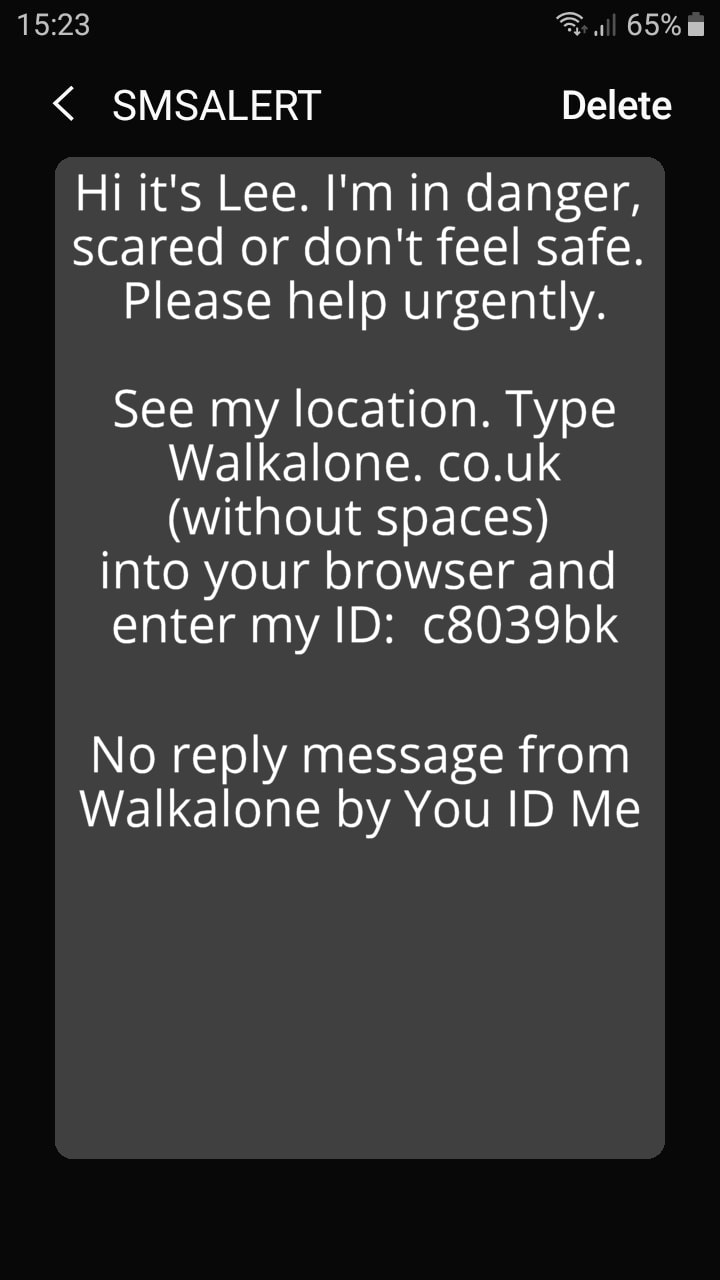
1) Emergency contact receives one of two urgently worded text message alert from the Walkalone user
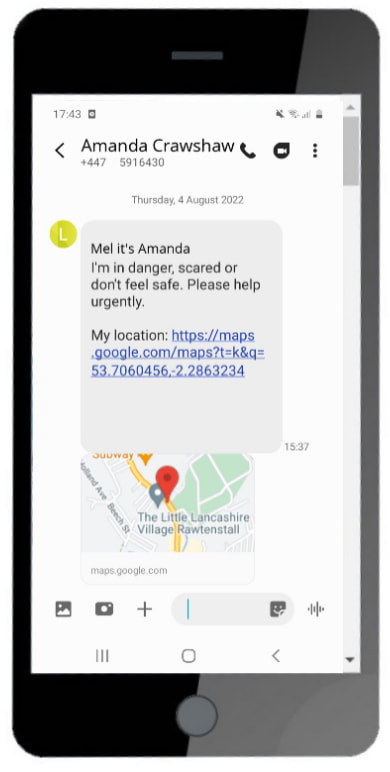
Walkalone alert showing a map of the Walkalone user's location.
2) Recipients of Walkalone alerts can access the map of the Walkalone user location and share this on to any appropriate authorities such as the police
See Walkalone in Action

Walkalone alerts may contain a map of the user's location or a code to access the map.

Enter ID c8039bk in the field below to view the map of a demo user's location when they triggered Walkalone because they needed urgent help.


Walkalone emergency safety app helping protect women against violence and domestic abuse

​home
​
ABOUT
​
UPDATES
​FAQ
Help Centre

​EXTERNAL SITES
YOU ID ME
AHEAD SOLUTIONS

Get Walkalone
Subscriptions
One​-TIME PURCHASE

Terms & conditions
Privacy Policy
Cookie policy
Legal notice


Walkalone is a trademark and brand of AheadSolutions (UK) Ltd. All rights reserved.
Copyright © 2014-24 AheadSolutions (UK) Ltd. VAT No: 172 6430 15 GB. Company No: 08071482.
  • Home
  • Pricing
  • About
    • Walkalone FAQs
  • Updates
  • See how Walkalone works